
A big thank you to WiFi Explorer for sponsoring Let’s Talk Tech this month.
WiFi Explorer is a popular Mac utility that allows you to scan, monitor, and troubleshoot wireless networks. It gathers configuration and capability information about all the networks it discovers and presents it on an easy-to-use, intuitive user interface.
Information includes network name (SSID), BSSID (which is the hardware MAC address of the device), vendor, channel, band, security configuration, supported data rates, and much more. It supports 802.11b/g/n networks in the 2.4 GHz frequency band, as well as 802.11a/n/ac in the 5 GHz frequency band.
With WiFi Explorer you can quickly identify channel overlapping, which occurs when two or more wireless networks are configured to use the same or adjacent channels. Channel overlapping is a common cause for performance degradation in wireless networks, especially in the 2.4 GHz band, as nearby networks compete and interfere with each other when transmitting and receiving data. You can also identify “dead spots” so you can optimize the coverage of your home or office wireless network by making the necessary adjustments to the location of access points.
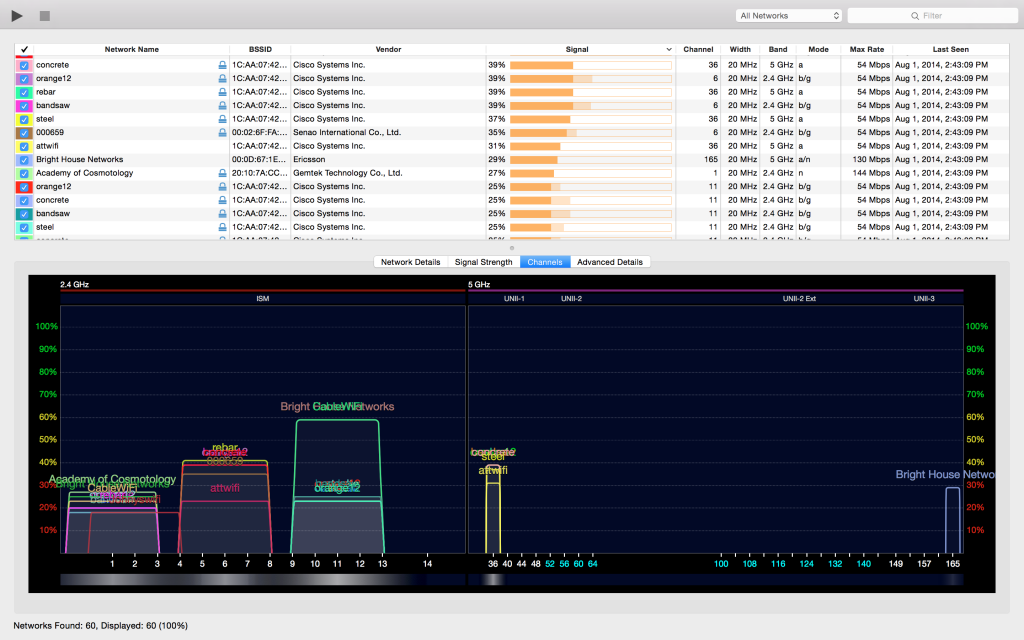
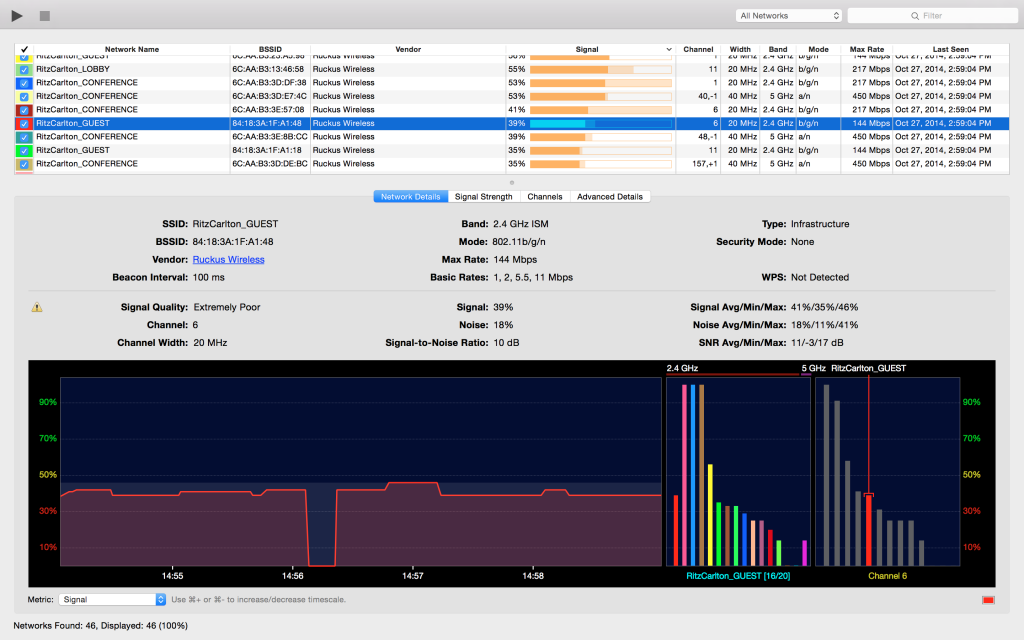
Scan results are listed in a table that you can customize to show or hide different pieces of information. You can also filter, annotate, and manage color assignments for networks to easily identify networks with different characteristics. It supports full screen mode and lets you save the results so that you can share them or review them later, or export the metrics and network details to CSV file format for further analysis.
For just $6.99, WiFi Explorer is a valuable addition to your toolbox. It’s great to troubleshoot and optimize your home wireless network. It’s also a strong choice for wireless engineers and IT professionals that need to perform advanced troubleshooting or simply want to learn more about the inner workings of wireless networks.
