

Anybody that works on Google Chrome daily (and I mean anybody), needs to have this free extension called Magical Text Expander installed.
If you tend to type similar things on a daily basis — the same kind of reply to customer enquiries, a sales outreach email or even the link to your website — Magical Text Expander lets you create a keyboard shortcut that automatically pre-fills the template for you.
The shortcut could be something like web* which then pastes in your website like this "letstalk-tech.com", or @email to paste in fabio@letstalk-tech.com. You can make the template as long as a full email or text message too.
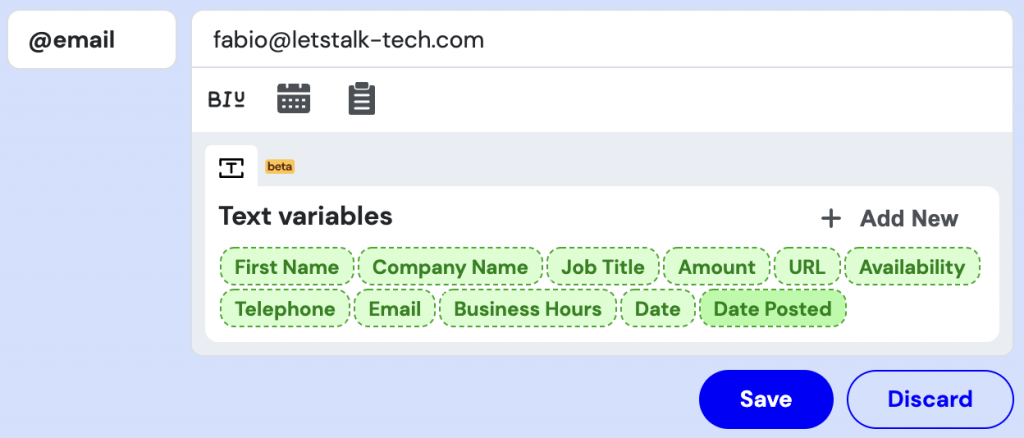
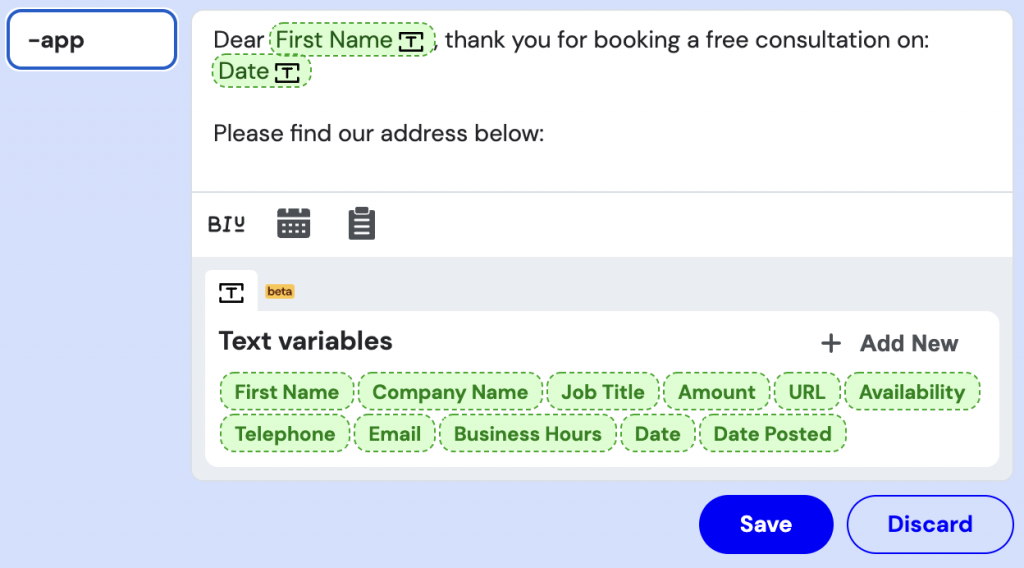
I specifically have a shortcut set up for sending appointment confirmations with our address and other important information; the company website; a link to our Google review page and even a shortcut for my full name! (Yes, I’m lazy to type my full name. Don’t judge me…)
Of course, you could just have your important ‘snippets’ of information saved on a sticky note on your desktop and then copy & paste them whenever they’re needed. However, there’s no competition when it comes to the time savings and overall efficiency of using a keyboard shortcut instead.
Then there’s another variable: Magical Text Expander lives in Google Chrome, meaning as long as you’re signed into your account on another device, the extension stays updated with all of your shortcuts saved already. This versatility to log onto Chrome anywhere is invaluable for me when I need to jump from one work computer to another.
Magical Text Expander for Chrome supports rich text formatting but it seems only in select web applications. It’ll include formatted text in an email for instance but not on Google Sheets or WhatsApp for web, which is unfortunate but not a deal-breaker in my case at least.
Some negatives to consider from using a tool like Magical Text Expander are that (A) there’s no extension for Safari on Mac which was massively disappointing for me, (B) the shortcuts are limited to Chrome for desktop, not mobile, and (C) you can’t use any of the shortcuts when using any other Mac/Windows software — it is strictly limited to Google Chrome.
You can click here to download Magical Text Expander for yourself and remember to leave a comment here when you’ve tried it. I want to know what you think!
