
Categories
Apps & Software iOS

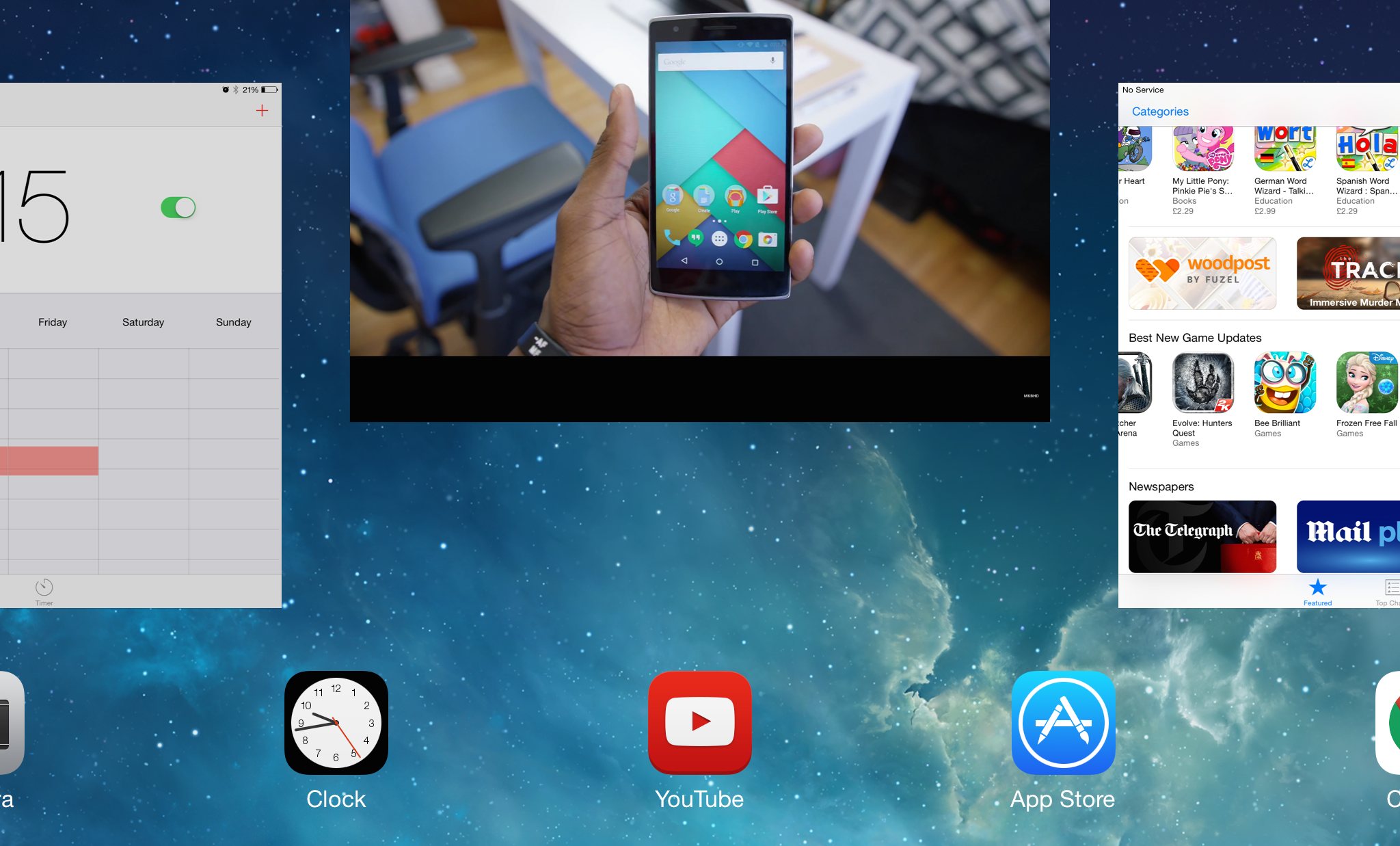
How To Close/Kill iOS Apps On iPhone and iPad

Whether you want to restart an unresponsive app or just have OCD about the amount of apps open on your device, killing iOS apps on your iPhone and iPad is actually quite simple.

Here’s what you need to do:

  1. Double-tap your home button, at the bottom of your iPhone or iPad
  2. Once you see the iOS multi-tasking view with all of your open apps, swipe upwards on the app window you’d like to close
  3. To close multiple apps, you can place your fingers over 2-3 windows in the multi-tasking view and swipe up together

Let me know if this helped you in the comments!

By Fabio Virgi

I'm the guy behind Let's Talk Tech and a travel blog called Fab Meets World. Some people call me a geek, I think they're probably right. I'm fascinated by technology and innovation, love good design and own way too many gadgets for my own good. Want to connect? Get in touch on Twitter and Instagram.

kuponbet
Kuponbet
vaycasino
vaycasino
vaycasino
betpark
betpark
betnano
betpark
betvole
betvole
betvole
betvole
vaycasino
betnano
vaycasino
vaycasino giriş
betvole
betnano
restbet
betnano giriş
grandpashabet
betnano
grandpashabet
vaycasino
betpas
gobahis
ultrabet
betpark
gobahis
betnano
vaycasino
betnano
grandpashabet
grandpashabet
betvole
betvole
sekabet
grandpashabet
grandpashabet
grandpashabet
betnano giriş
betnano
betnano