
Categories
Android Apps & Software

How to Install Snapseed 2.0 Ahead of Google Play Launch

Google’s photo editing application, Snapseed, has recently received the 2.0 update.

Some users are able to download it from the Google Play store right now, however many are still unable to. This is easily overcome though; you can simply sideload the APK file.

To start off you’re going to need to ensure that you are able to install apps from unknown sources. If you don’t know how to find out whether or not you do, or you need to enable this option, follow this tutorial here.

You’re then either going to want to download the APK below onto your computer and copy it over to your phone, or load up this article on your phone and download the file directly onto it.

Once downloaded and on your device, you need to open the APK file. Upon opening you’ll have the option to install the file, do so and wait for it to finish installing.

You’re then able to click open and run Snapseed 2.0!
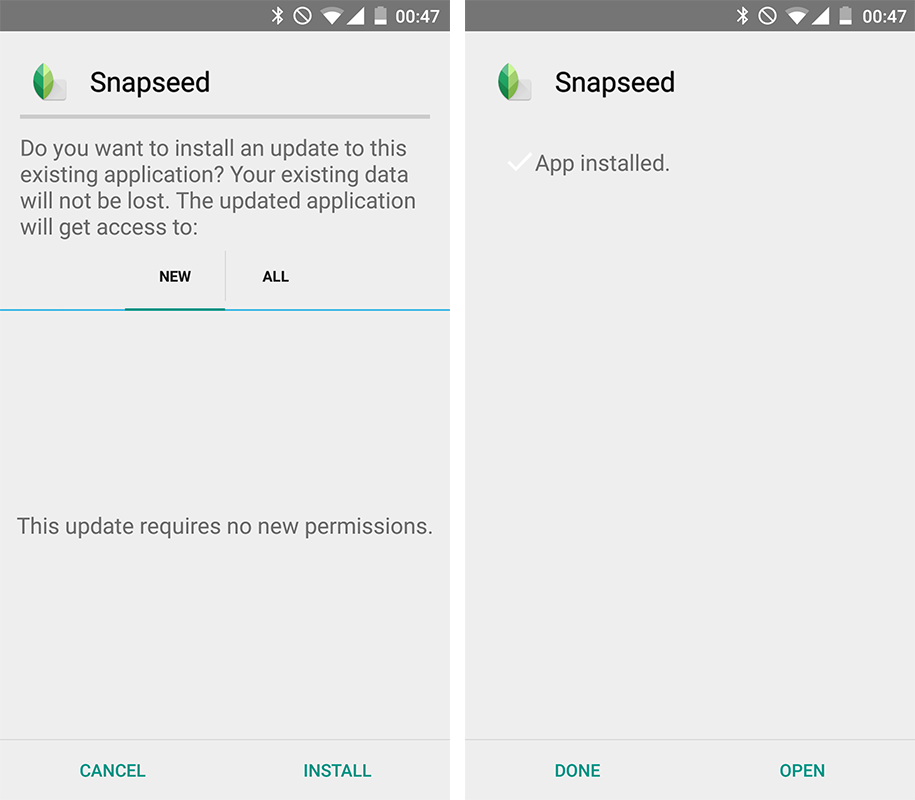
Snapseed-2-Install

Snapseed 2.0 APK File Google Play Store Link

By Billy Noyes

From DSLR's all the way to PCs, Billy loves nothing more than playing with all different types of technology. He's covering the latest tech news here on Let's Talk Tech.

Kuponbet
bb marketing
betgaranti
betnano
betnano
betnano
betnano
betnano
savoybetting
ikimisli
romabet
betebet
betpipo
limanbet
betebet
betnano
betebet
grandpashabet
grandpashabet
grandpashabet
grandpashabet
grandpashabet
grandpashabet giriş
grandpashabet
grandpashabet
vaycasino
vaycasino giriş
grandpashabet
grandpashabet
rekorbet
betlike
ikimisli
romabet
romabet
betpipo
betpipo
grandpashabet
grandpashabet
grandpashabet
grandpashabet
vaycasino
vaycasino
romabet
romabet
vaycasino
nesinecasino
nesinecasino
vaycasino
vaycasino
vaycasino
betpipo
Betpark
betebet
betebet
nesinecasino
savoybetting
savoybetting
rekorbet
grandpashabet
nesinecasino
hitbet
betlike
jojobet
jojobet
betpark
grandpashabet
betnano
grandpashabet
grandpashabet
betpark
grandpashabet
hitbet
ikimisli
betpark
vaycasino
betyap